
Editing a Layout
Related Videos
Layout’s Edit mode can be accessed in one of two ways:
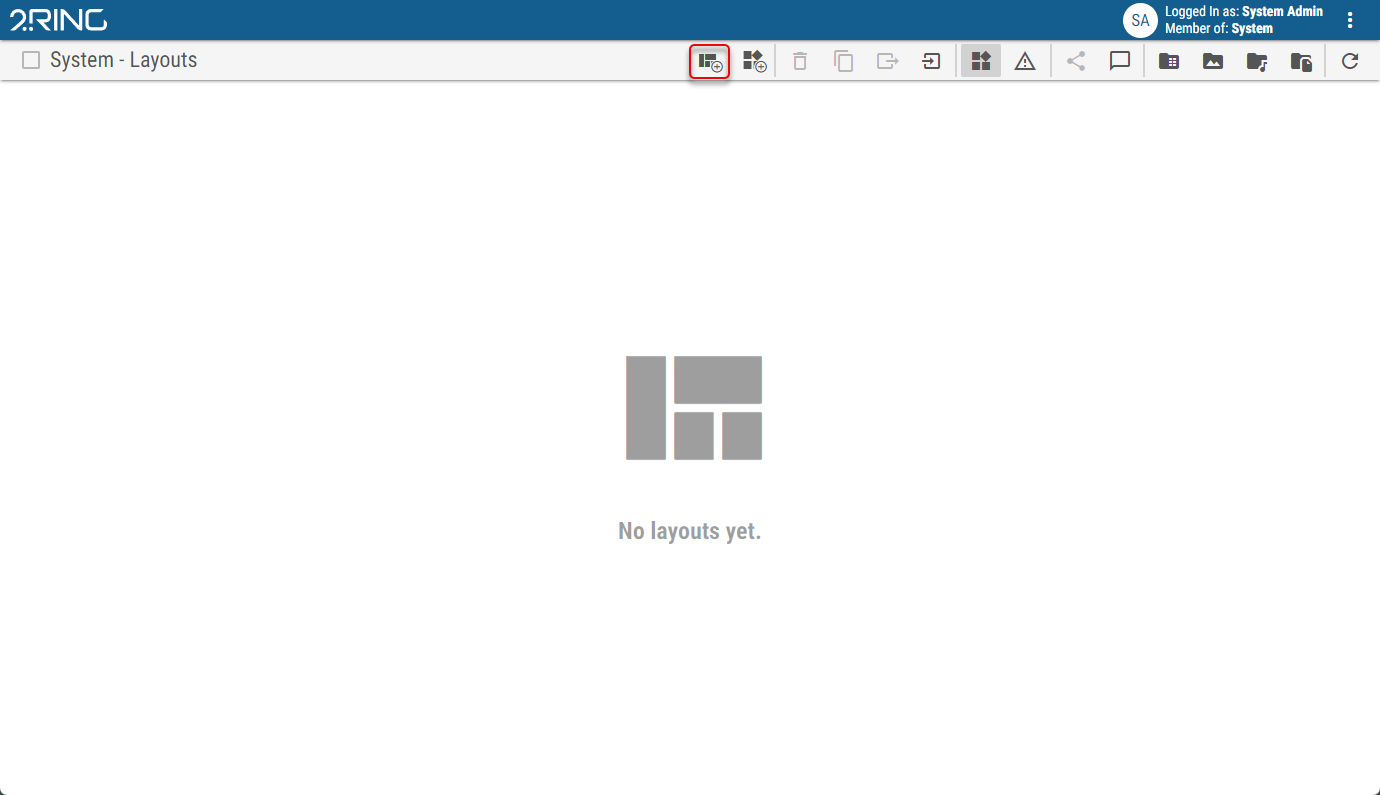
Click the Create Layout button in the Layout list to create and edit a new Layout.
Figure 1: Add button
Click the pen icon located at the top right side of the screen, while viewing a specific Layout to edit it.
Figure 2: Edit button

When the Edit mode is entered, a panel, also called the Layout panel, is automatically opened containing the following options:
Figure 3: Layout panel
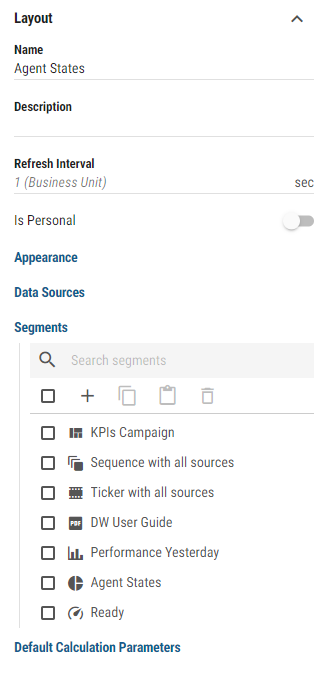
Name
The name of the Layout. The name is displayed in the Layout list and as the header of the viewed Layout.Description
Optional description of the Layout, displayed in the Layout list.Refresh Interval
Inheritable
Interval in seconds, between each refresh of the Layout’s dataIs Personal
Whether the layout is Personal. For more information about personal layouts, see Personal Layout chapter.Appearance
The style of the LayoutAspect Ratio
Ratio of Layout dimensions, at which the Layout is displayed. If unlocked is selected, Layout will fit the browser’s window size.Custom Aspect Ratio
Available only when “Custom” is selected as an Aspect Ratio
Custom aspect ratio in X:Y format.Theme
Inheritable
Visual theme, applied to all segments in the Layout.Theme Overrides…
Selected theme can be customized for the current layout by overriding any of its properties. For a list of all properties, see the Placeholders chapter in the administrator application guide.
You can then manage overrides using the following options:Click Save as Theme to create new theme with overrides applied directly to it. New theme wont be automatically associated with the layout.
Click Save to Current Theme to save changes to the currently used theme.
Click Reset to discard all overrides made to the currently selected theme.
Short URL
The Short URL allows the use of a shortened link, which can be used for sharing and easy navigation to the Layout.Token
Uniquely generated string which is used in Short URL address. When a new token is generated and published, previous Short URL will no longer be usable.Anonymous Access
Allows navigation to the Layout, without the need to login first. Affects only a direct navigation using the Short URL.Fullscreen
Controls, if the Layout should be put into the full screen mode, after being accessed with the Short URL.Toolbar Enabled
Controls, if the Layout should contain the navigation controls. Hiding navigation controls means that navigation to Layout list is unavailable. Affects only a Layout, accessed using the Short URL.
Data Sources
After creating a calculation on the layout/widget, it can serve as a predefined calculation and can be chosen in segments supporting layout calculations such as KPI or Pie Chart. For more information about editing calculation, see Data Sources chapter.Segments
Manually orderable
List of Layout’s segments. For more information about Layout segment see Segments chapter.Default Calculation Parameters
Default Calculation Parameters allow the user to predefine calculation parameters for the entire Layout. These parameters are then automatically applied to all newly created calculations (those that are supported by calculation type). Automatically added parameters can be manually overridden on each individual calculation. For more information see Parameters chapter.These parameters are only applied to new calculations created after the Default Calculation Parameters are defined. Already existing calculations will not be affected or retroactively updated.