
What Is Widget
Related Videos
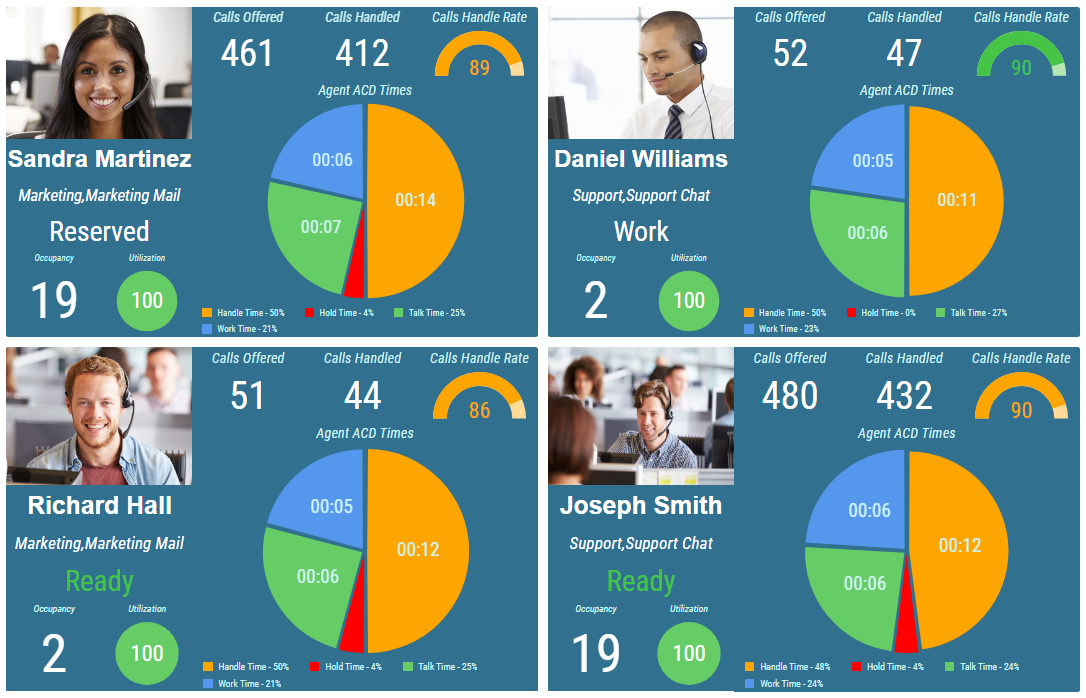
Even though the basic purpose of both the Layout and the Widget is the same, to display a key information in form of a wallboard, the Widget offers a much more easier solution for displaying the same statistics for multiple agents or teams. Data which are displayed in Widget can be parametrized by layout where widget is used thus eliminating the need to create specific widget for each agent or team.
Figure 1: Multiple nested widgets in a layout
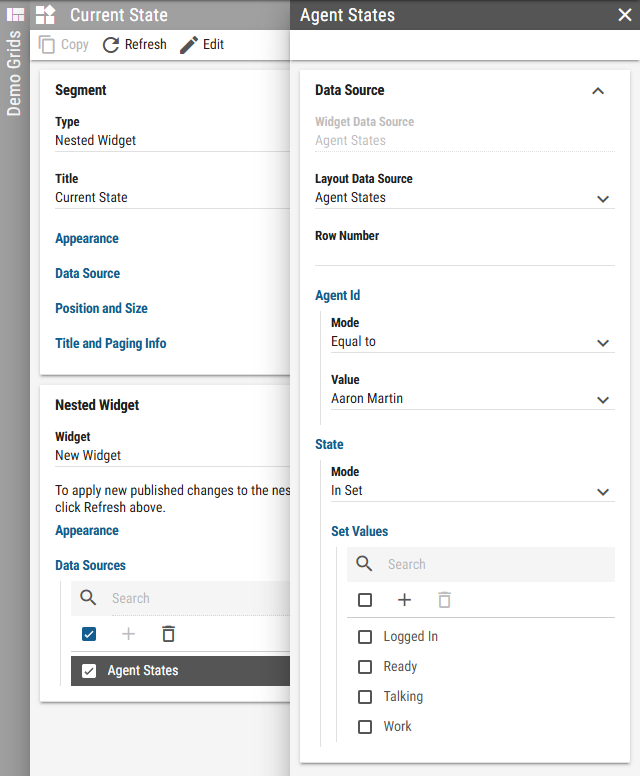
To achieve this, widget has to have layout Data Source created. Each Parent Data Filter configured in the data source is available in the layout where the widget is used as a filter. Although containing the same nested widget, each segment can be filtered independently.
Figure 2: Parent data filters configured in widget
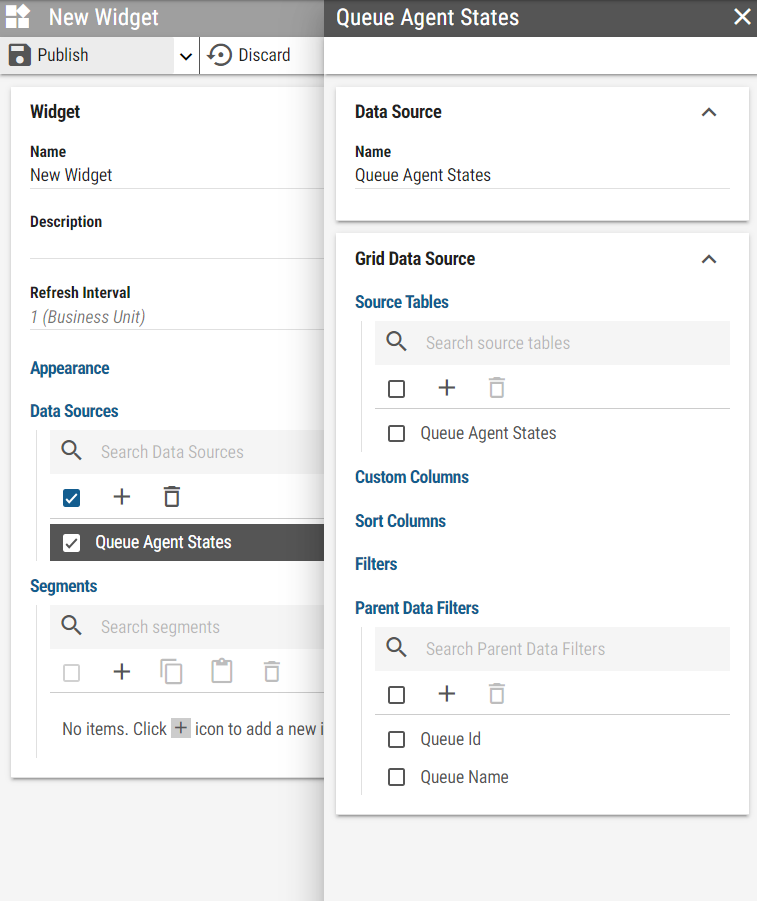
Figure 3: Filtering nested widget in layout
For more information, see What is Layout chapter.