
Settings
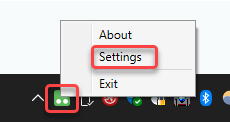
In order to modify any application settings, right-click on the 2Ring Power Tool icon in the system tray and click Settings.
Browser
The following settings can be used to modify the integrated web browser.
For more information about the web browser usage, see Browser chapter.
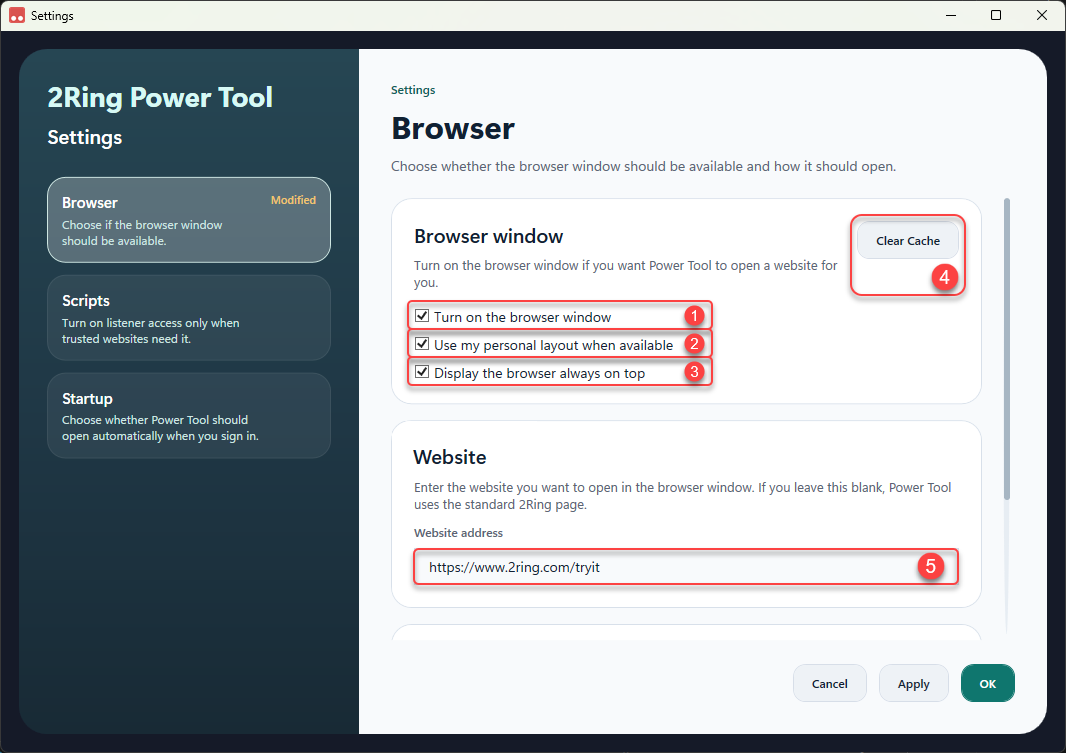
Browser window
Turn on the browser window
Choose whether to turn on the browser window.Use my personal layout when available
Check this option to add /personal to the webpage URL. This will automatically display the personal layout if the browser URL is filled correctly.Display the browser always on top
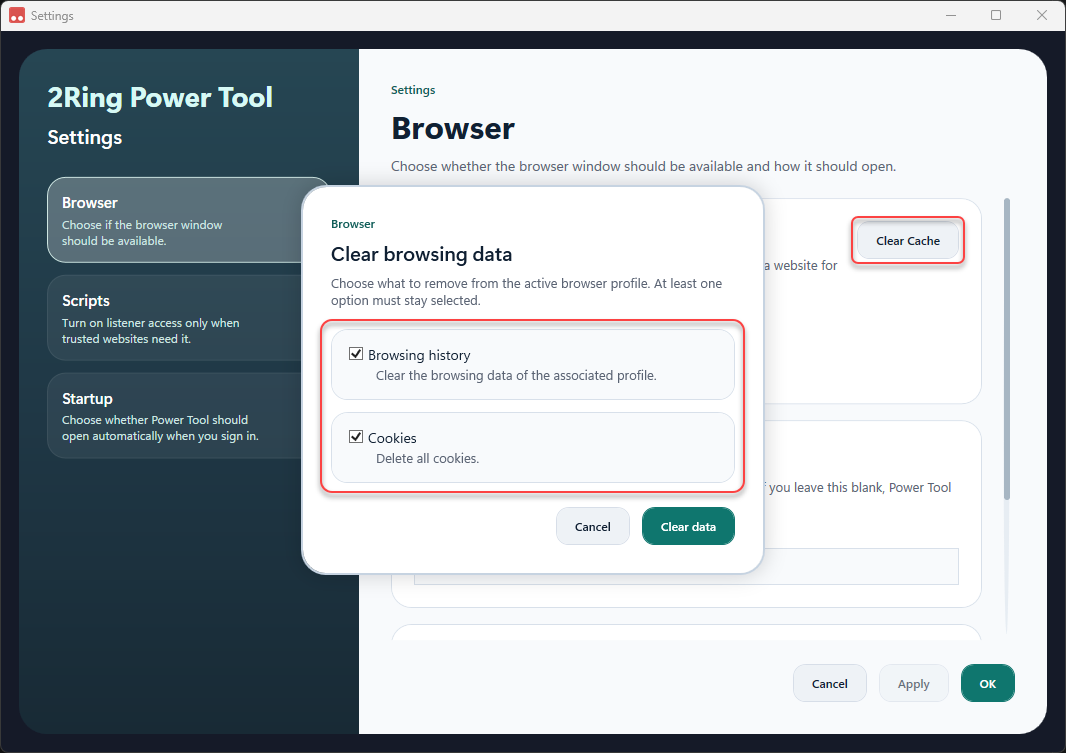
If enabled, the web browser will always be displayed over other open windows, even when it does not have focus.Clear Cache
Clears browsers data. User can choose what to remove from the active browser profile. Available options are:Browsing history
Cookies
Website
Website address
Enter your custom webpage URL to be displayed in the web browser. If this field is left empty, the default 2Ring webpage (https://www.2ring.com/tryit) will be displayed.
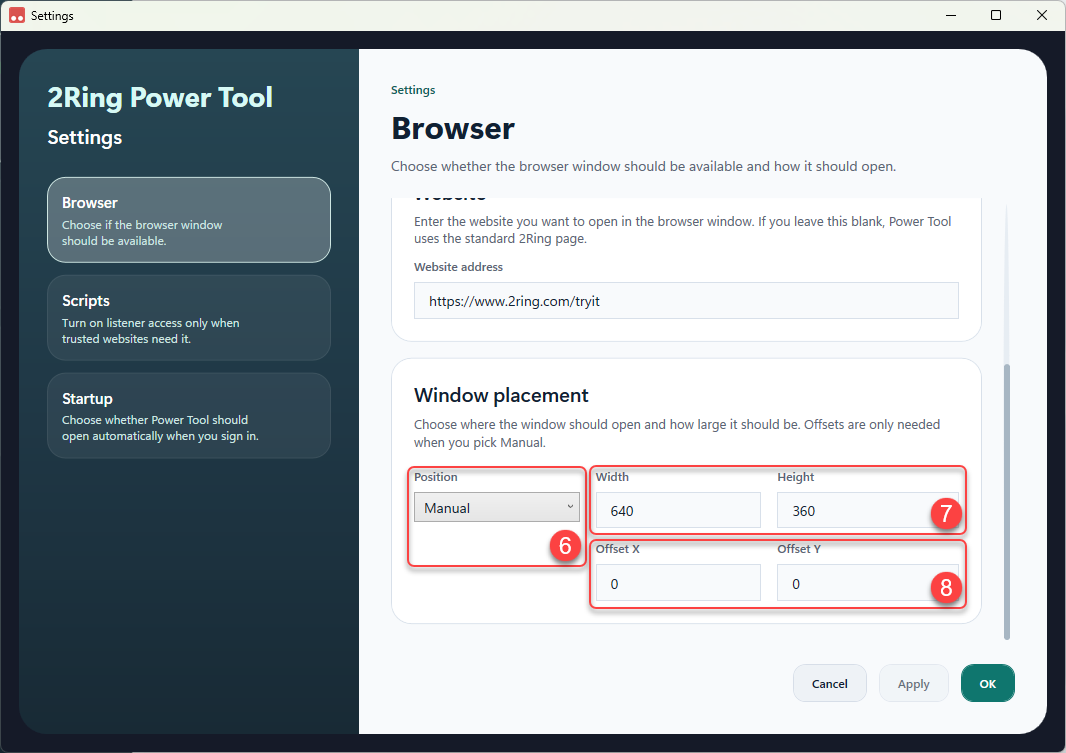
Window placement
Position
Position of the browser window. Available options are:Top left
Top right
Bottom left
Bottom right
Manual
When the Manual position is selected, user can define the desired position of the browser window by entering the values into the Offset X and Offset Y fields.
Width/Height
Size of the browser window. Use can define the size by filling the Width and Height fields.Offset X/Offset Y
When the Manual position is selected, user can define the desired position of the browser window by entering the values into the Offset X and Offset Y fields.
Scripts
The following settings can be used to modify the scripts.
For more information about scripts, see Listener chapter.
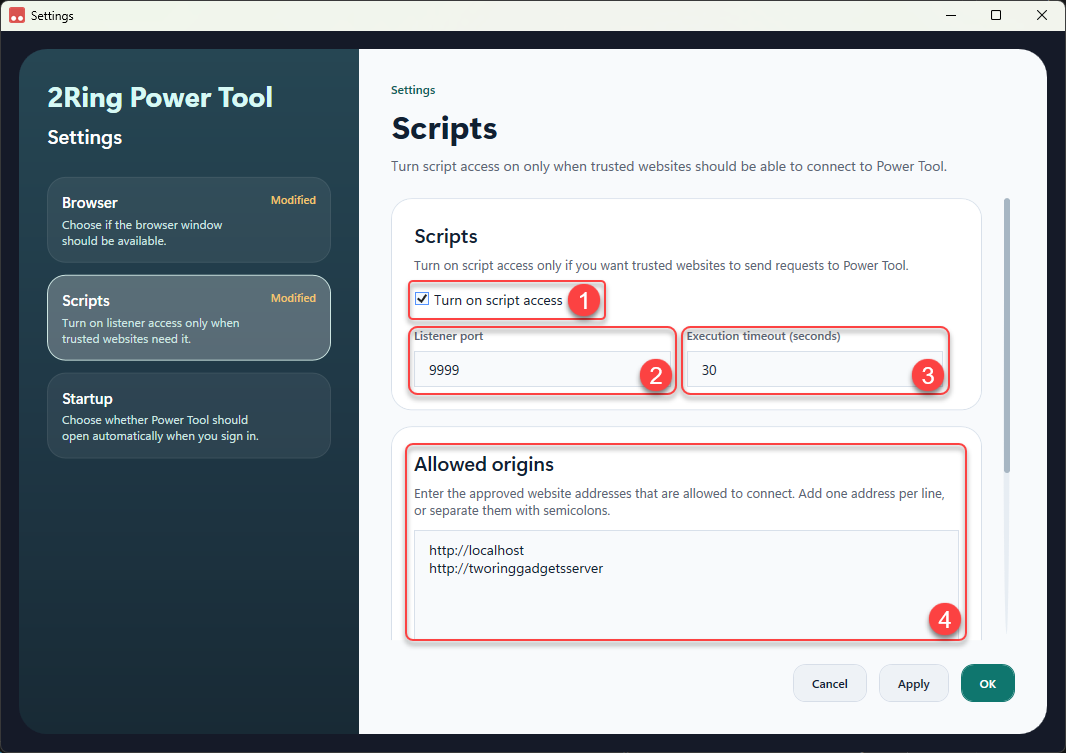
Turn on script access
Choose whether to turn on script access. Enable this option only if you want trusted websites to send requests to Power Tool.Listener port
The port number the web listener will be listening on.Execution timeout (seconds)
Maximum number of seconds allowed for a script to run before the Listener forcibly stops it.Allowed origins
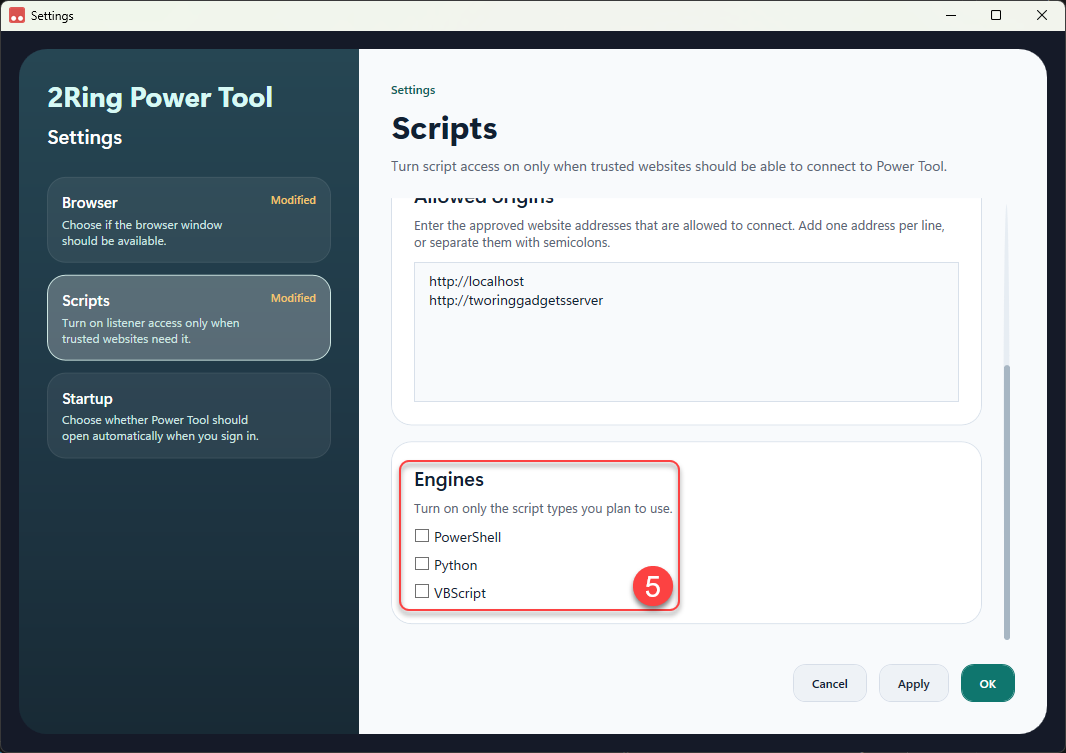
List of approved website addresses that are allowed to connect. Add one address per line, or separate them with semicolons.Engines
Turn on only the script types you plan to use. Available options are:PowerShell
Python
VBScript
Startup
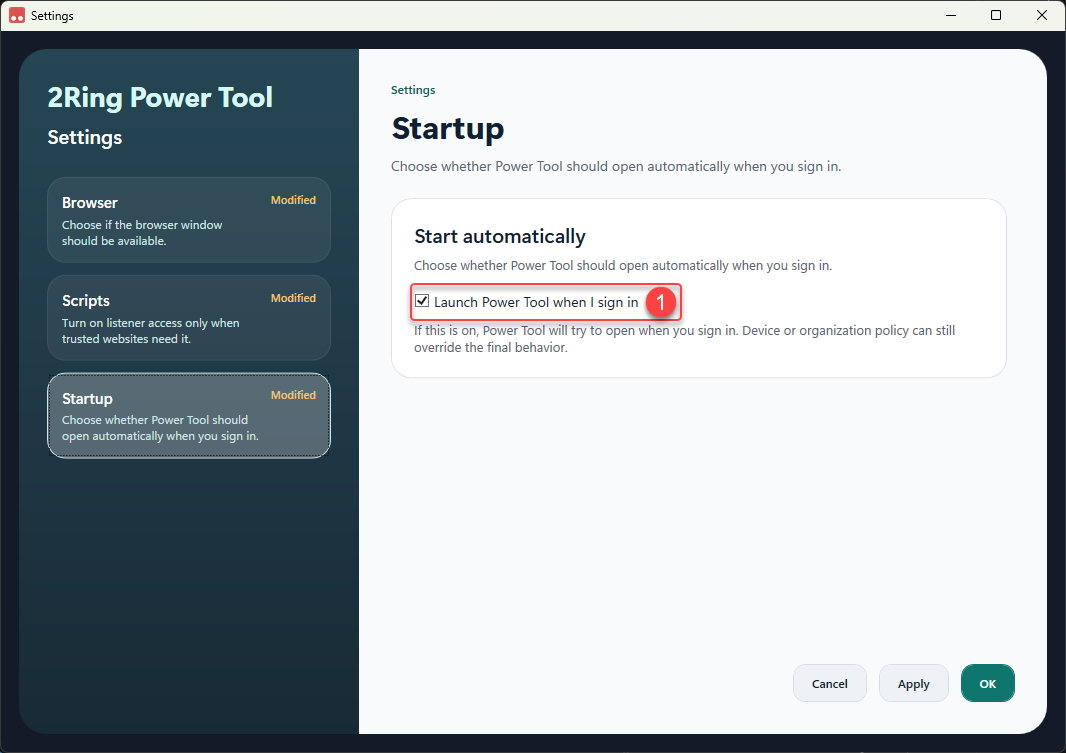
Launch Power Tool when I sign in
Choose whether to launch Power Tool automatically when you sign in to your computer. Device or organization policy can still override the final behavior.