Validation
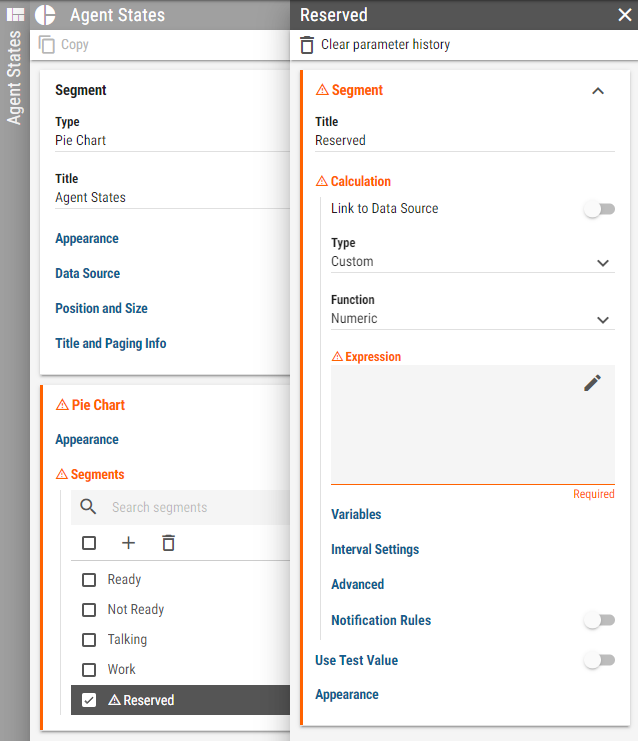
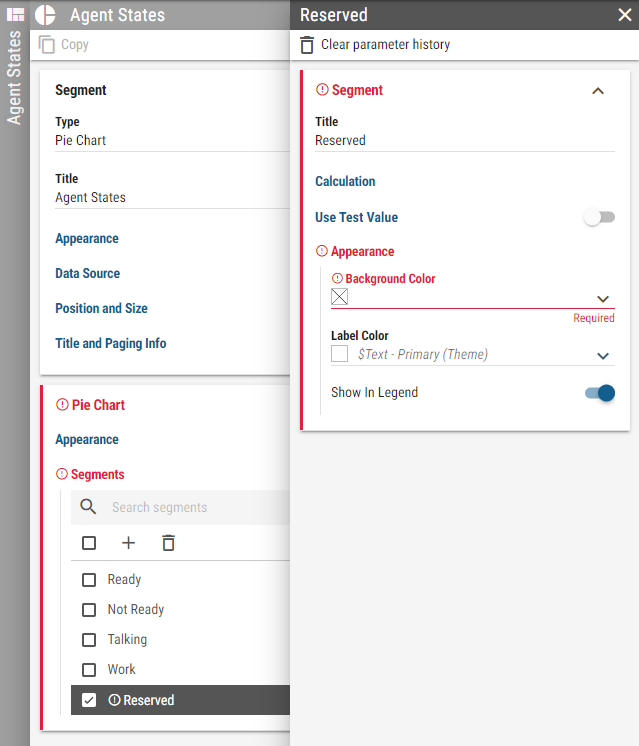
When an invalid value is entered into a field, the field is marked with red or orange color. Furthermore, to help locate the invalid value, all parent groups, sections, and panels are highlighted too. The validation message is briefly described under the field, on the right side.
A red marking indicates a validation error that prevents the layout from being published. The button is disabled until the error is fixed.
Figure 1: Validation error
An orange marking indicates a warning that does not prevent the layout from being published. However, it is highly recommended to review all warnings to ensure proper functioning of each segment in the layout.
Figure 2: Warning
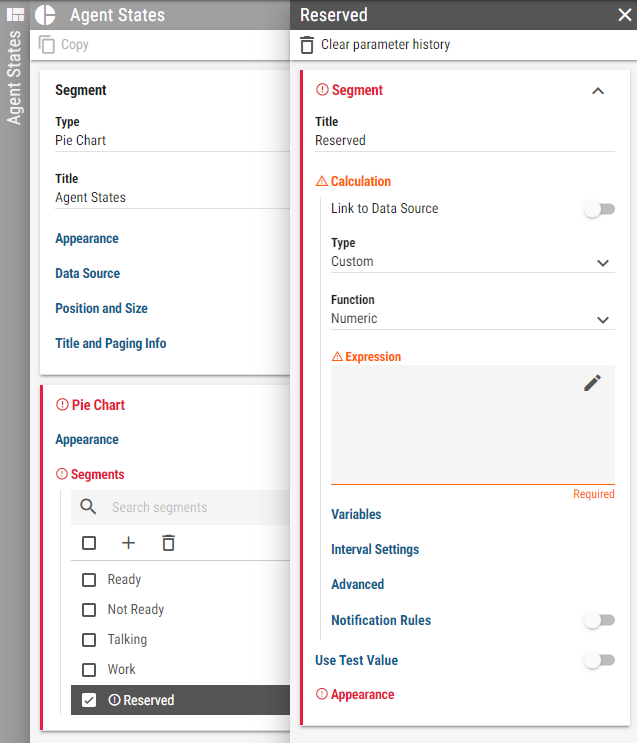
In case the parent group contains both the validation errors and warnings, it is highlighted in red because of the error’s higher priority.
Figure 3: Validation error and warning