Lists
Figure 1: List
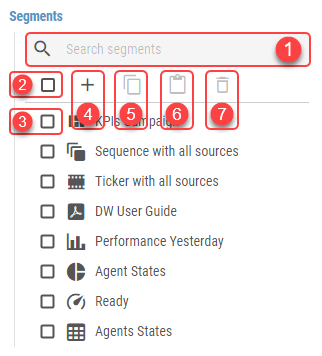
Lists display any collection of items. These items can be managed using the following controls:
Search field
Enter search criteria to quickly filter displayed items.Select/Deselect all items checkbox
Click to select/deselect all items.Item selection checkbox
Click to select/deselect a single item.Add button
Click to add new items.Copy button
Available only when at least one item is selected.
Click to copy selected items.Paste button
Available only when at least one item is in the clipboard.
Click to paste copied items.Delete button
Click to delete selected items. This action is available only if at least one item is selected.
Clicking an item or adding an item opens up a new panel containing all its related configuration options.
The name of the item is determined by its most distinctive option, such as Title. When not set, (Untitled) is displayed instead.
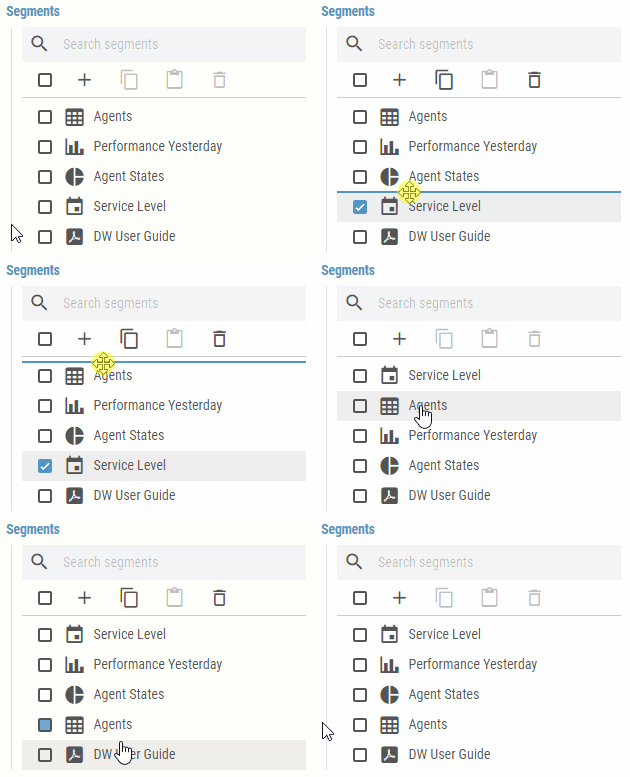
By default, the list’s items are sorted alphabetically in ascending order. Some Lists are manually orderable by dragging items to their desired position.
Figure 2: Reordering items in list