
Features
This page describes the specific features available in the System Settings section of the Admin Panel.
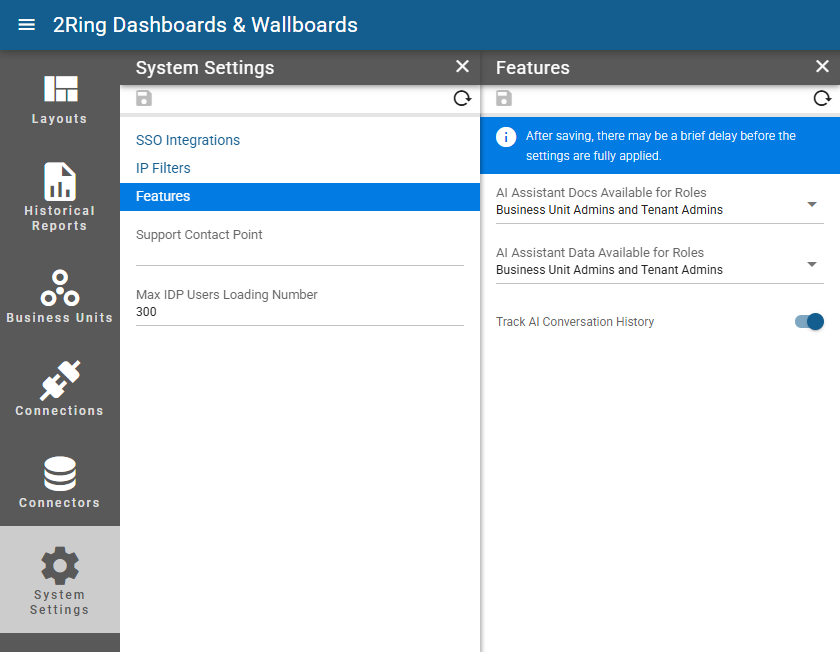
AI Assistant Docs Available for Roles
Available only if AI Assistant docs function is enabled. If you want to enable or disable this feature, please contact 2Ring support
Defines which user roles can access the AI Assistant documentation feature. When enabled, the AI Assistant can use product documentation as a data source to answer user questions about DW functionality and configuration. Available options include:All
Business Unit Admins and Tenant Admins
Tenant Admins
None
AI Assistant Data Available for Roles
Available only if AI Assistant data function is enabled. If you want to enable or disable this feature, please contact 2Ring support
Defines which user roles can access the AI Assistant data feature. When enabled, users can query the AI Assistant for metric and statistic values in DW. The AI Assistant fully respects the configured security boundaries — it will only return data that the users and their Business Unit have permission to access. Available options include:All
Business Unit Admins and Tenant Admins
Tenant Admins
None
Track AI Conversation History
Whether to track the history of conversations with the AI Assistant. When enabled, user can access the history of their interactions with the AI Assistant, allowing them to review past conversations.