
Custom Display Format
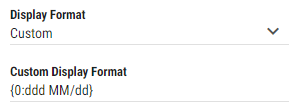
When “Custom” is selected as a Display Format, custom format, in which value should be displayed can be defined.
Figure 1: Custom display format field
For more information see Microsoft documentation for Numeric, Timespan or Date and Time format
Example:
Numeric
Percent
{0:P}-> 100%Currency:
{0:C}-> $87
TimeSpan
d'd 'hh':'mm':'ss'.'fff-> 1d 11:36:18.283
Date and Time
{0:HH:mm:ss MM/dd/yyyy}-> 12:36:22 10/03/2022{0:ddd MM/dd}-> Sat 10/22