
Creating a Segment
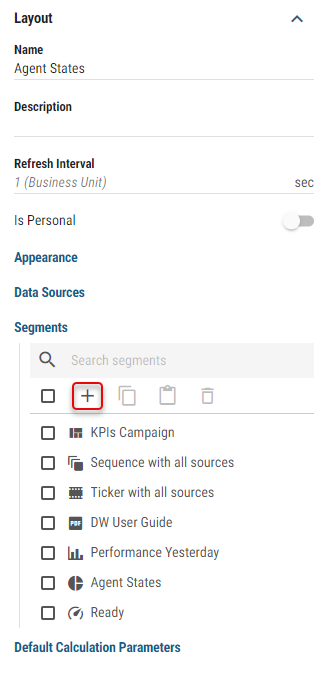
To create a new segment in the Layout, click the “+” button located at the top of the segments list.
Figure 1: Add button
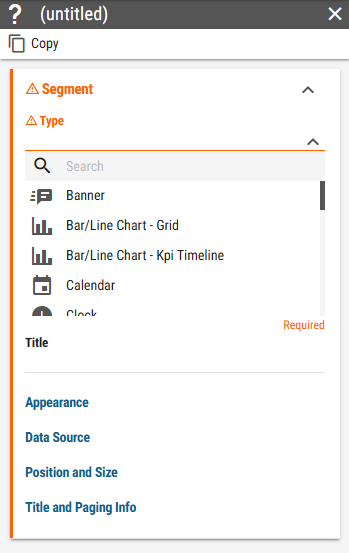
This will open a panel with additional segment options.
Figure 2: Segment panel
For more information about the options, see Segments chapter.