Application Menu
The application menu contains essential application actions. It can be accessed in any part of the application, when logged in. The menu is opened by clicking the three dots icon, located on the top right corner of the screen.
Figure 1: Application menu
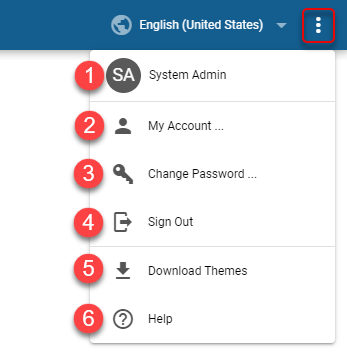
Logged in user name with full name credentials
Link to the Account Management tool
Not available when logged in using Okta/Entra ID account or when logged in using TV login flow
Available only for local users with “Can change password” setting enabledChange password option
Not available when logged in using Okta/Entra ID account or when logged in using TV login flow
Available only for local users with “Can change password” setting enabledSign out option
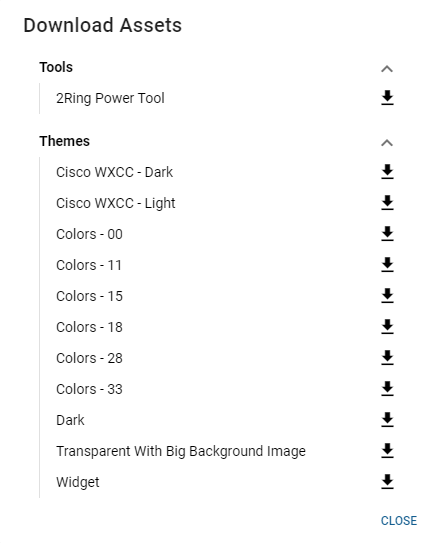
Download Assets
Available only when tenant or BU admin is logged inIn the following dialog, all default tools and themes can be downloaded in the zip format by clicking the download button next to the desired asset.
Link to the documentation