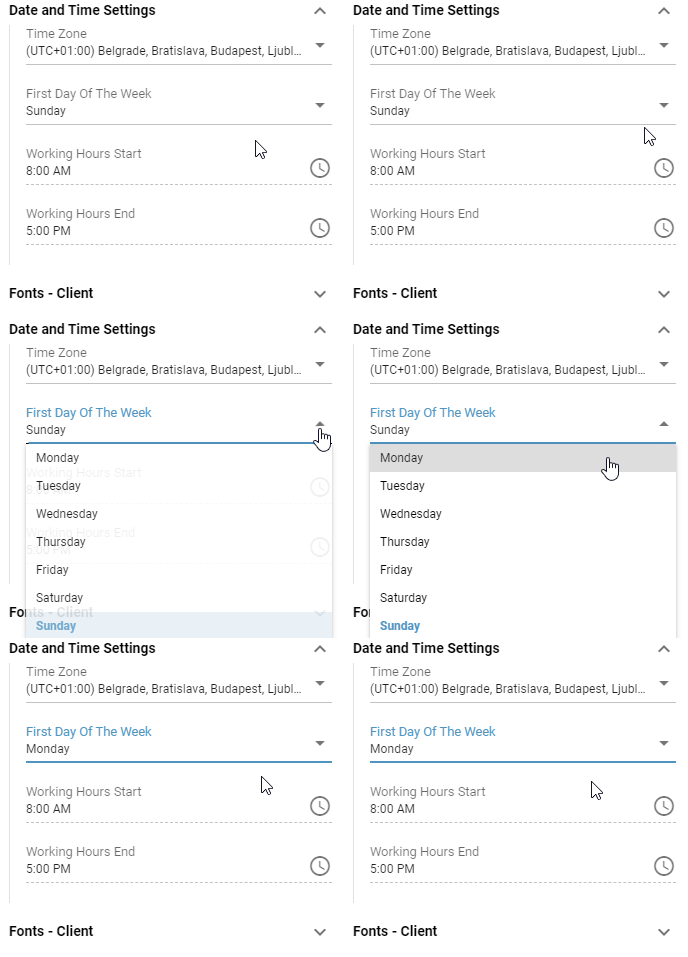
Dropdown
Contain a selection of predefined values, the user can choose from. The value cannot be manually edited. User can also navigate in the dropdown list using arrow keys on the keyboard and confirm the selection by pressing the Enter key. The currently selected value is highlighted in bold. Every dropdown contains a arrow facing downwards on the right side of its field.
Dropdowns may contain a search field, that is displayed right under the dropdown, when it’s rolled out. Items can be filtered based on the search criteria. Used search phrase can be cleared by pressing the button.
Some Dropdowns contain dynamic values, that may change over time. Such dropdowns can be refreshed using the refresh button.
Figure 1: Dropdown